How to find your upcoming meetings
Your upcoming meetings can be viewed on the calendar in DragonFly.
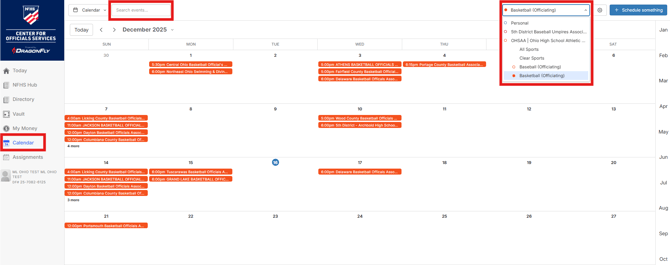
- Click on the 'Calendar' option in the lefthand menu
- Click on the dropdown filter near the top-right and select the sport that applies to you
- You can also type your local association name in the 'Search events...' bar near the top-left
- Once you're filters are set, you will see calendar events for your upcoming meetings
How to track your meeting attendance
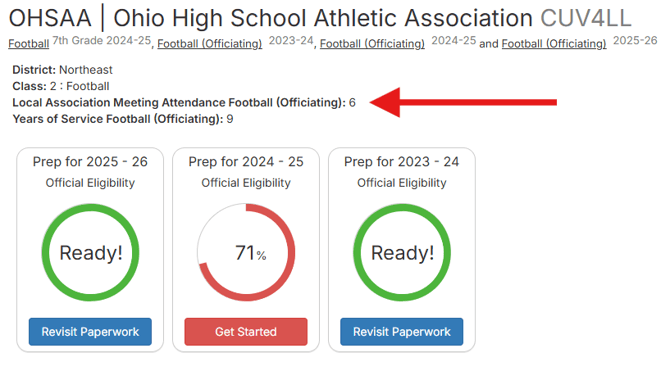
Your local association leadership will enter your meeting attendance into DragonFly. You can see the number of meetings you attended on your profile page just above your eligibility summary.
Please note: This number updates weekly on Fridays so you won't see it instantaneously after a local association leader enters it into the system.