Please follow the steps below to reset a user's exam attempts.
NOTE: You must be an administrator in a state association to be able to reset exam attempts in DragonFly.
Note: DragonFly is not authorized to reset exam attempts for users. You will need to reach out to your state association directly to ask them to reset an exam attempt for you. States reserve the right to refuse these requests at any time.
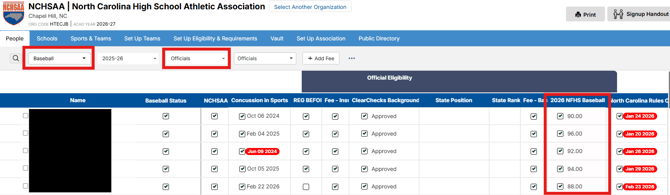
1. Go to the 'People' page in DragonFly and filter to the specific program the user is in, i.e. choose 'Baseball' if you are resetting a baseball exam attempt. This filter will get the exam results to show in a column in the 'People' table.
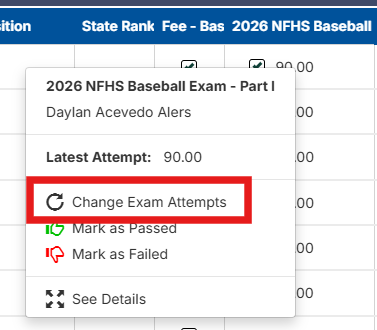
2. Click on a score in the column to show a pop up where you'll see an option to 'Change Exam Attempts'.
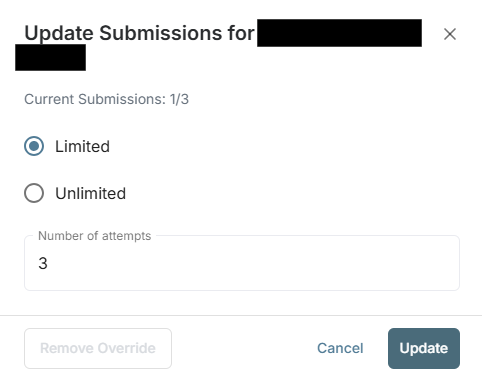
3. After clicking to 'Change Exam Attempts', you'll see another pop up that allows you to update submissions for the user. You can do the following:
- Update the limited number attempts to add an additional attempt by changing the number in the 'Number of attempts' field
- Update it so the user has unlimited attempts
Click the 'Update' button when you are done. The user will then be able to retake the exam from there.