
Setting up your sports and teams in DragonFly is an easy streamlined process. Please see the details below on how to set up and declare your teams.
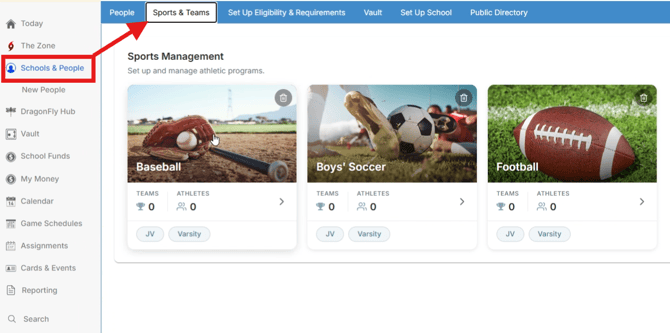
How to access Sports & Teams settings
- Click on 'Schools & People' in the lefthand menu
- Click on 'Sports & Teams' in the tabs near the top of the screen
How to update your teams and set levels
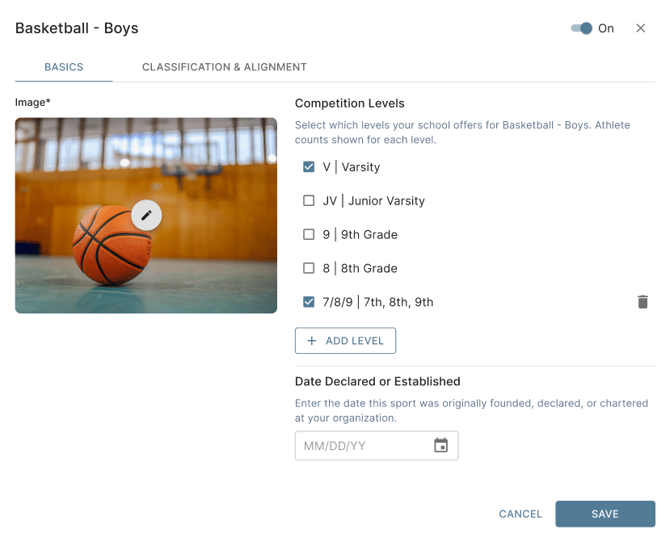
- Click on each sport in your view to edit their levels and declaration date
- You'll first choose your competition levels by checking the box for each level that applies
- To declare the date for the sport, set the date declared or established to the original date your organization declared/started the program
- Make sure to turn the sport on with the toggle in the upper-righthand corner
- Make sure to click the 'Save' button at the bottom-right corner
How to Set Classification & Alignment
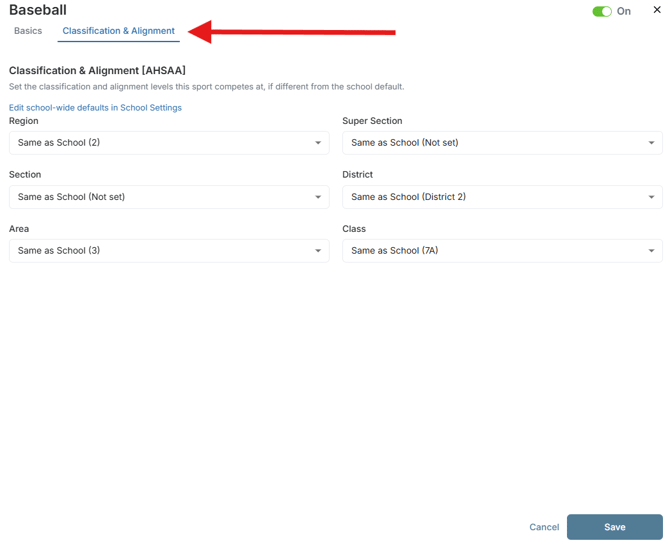
- Click on the 'Classification & Alignment' tab at the top of the pop up where you set your team's levels
- Click into the options to update them as necessary
- Make sure to click 'Save' at the bottom-righthand corner when you are done
Please note that this will default to your overall school classification & alignment settings automatically.
How to Add a New Sport
-
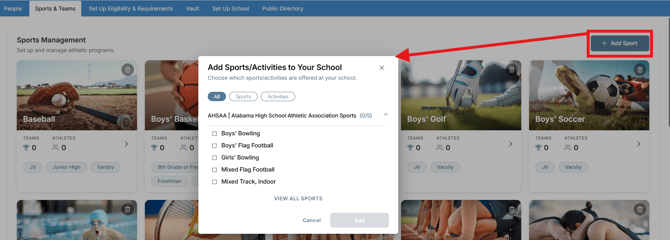
Click on the '+ Add Sport' option near the top-right of the page
- Don't see your sport? Click to 'View All Sports' to find your sport there
- Once you have your sports selected, click 'Add' at the bottom-right corner
- This will add the sport to your view - you can click into it from there to edit the levels and dates
Frequently Asked Questions
What happened to the declaration option?
You'll see your declaration date by editing the sport and setting the 'Date Declared or Established' there
What happened to custom lists?
Lists are no longer available for use. Any lists for the 2025-2026 season are still intact but cannot be edited any longer. We will have updates in the near future on how lists will work with the new updates. Thanks for your patience in the meantime!